
On a new ticket, meter 1 start comes from the truck’s last reading and stays locked, so you enter the end. Meter 2 appears when that truck has one. Leave it blank if it was not used. Gallons delivered fills in from the meter readings, and you can change it.
A ticket is flagged when something does not line up:
- Meter start — the start reading is not the truck’s last reading. This shows up when a start is edited or sent from the app.
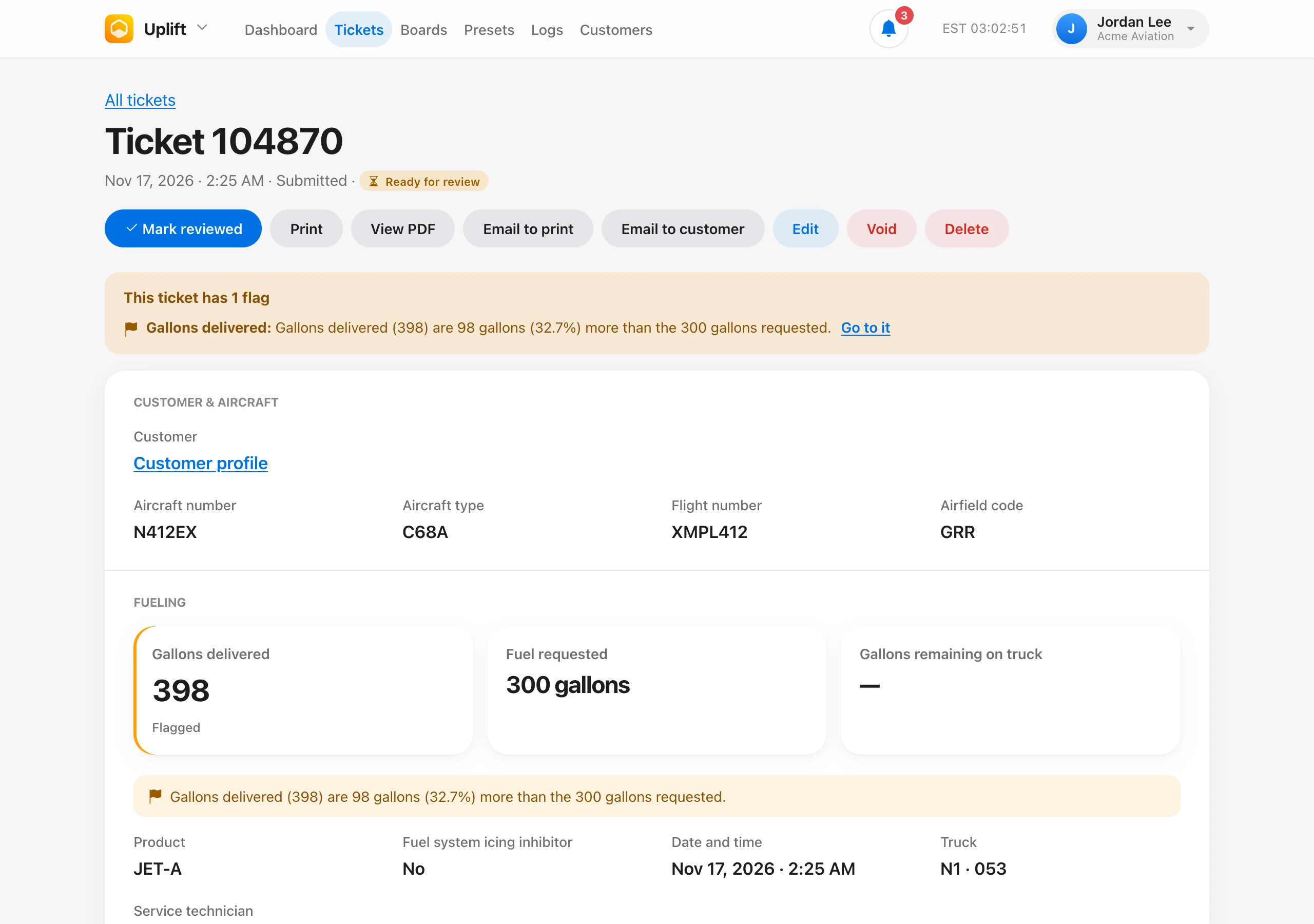
- Gallons delivered — delivered gallons differ from the fuel requested by more than the organization discrepancy percent. Set that percent under Organization → Settings. Requests in gallons per side, top-offs, and panel sets are not compared.
Flags appear on the ticket, in the activity feed, and on the dashboard, and they send the Discrepancy alert notification. Open the ticket to see the numbers and jump to the field.
Liters are converted to gallons directly. Pounds and kilograms are converted to gallons with the ticket density, or with the organization fuel density when the ticket does not have one. Standards are 6.71 lb/gal for Jet-A and 6.01 for 100LL. Admins change those under Organization → Fuel density.