
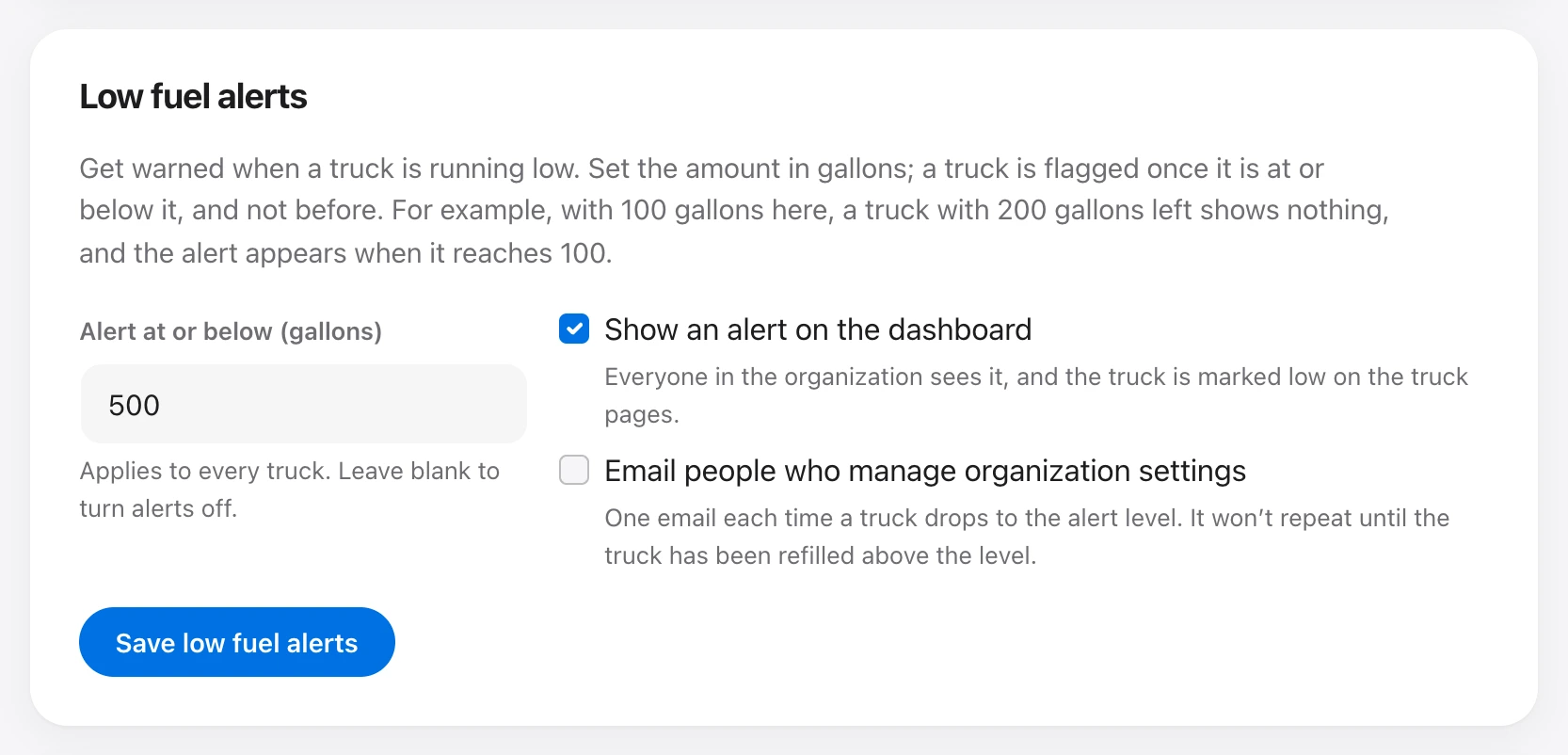
People who manage organization settings turn this on under Organization → Low fuel alerts. Enter a gallon amount. A truck is flagged once it is at or below that amount, and not before. Leave the box blank to turn alerts off.
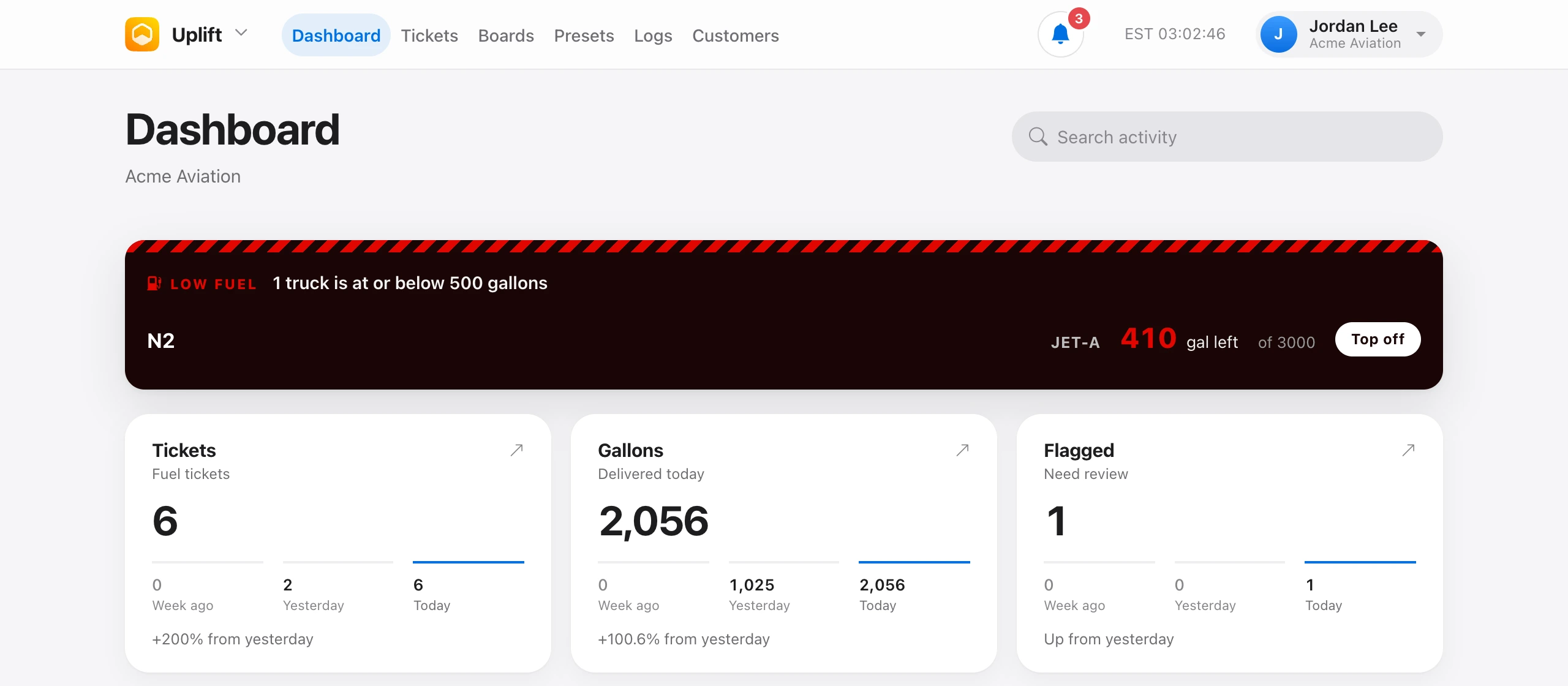
- Show an alert on the dashboard — everyone in the organization sees which trucks are low, with a Top off link that opens the load form for that truck.
- Email people who manage organization settings — one email each time a truck drops to the alert level. It does not repeat until the truck has been refilled above that level.
The same trucks are marked low on the truck pages. The gallon amount applies to every truck.