
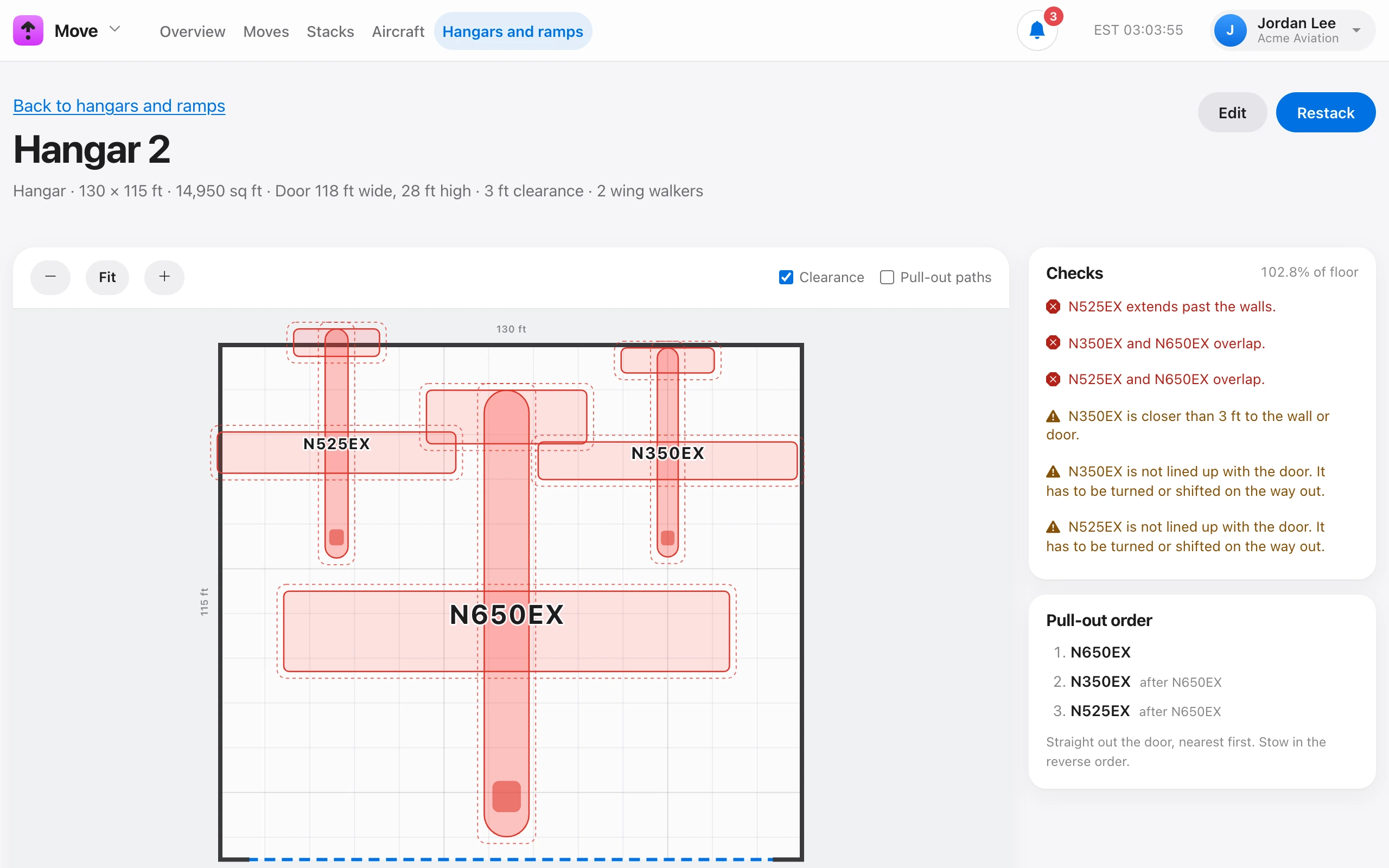
While you build a stack, Checks updates on every change. It shows the share of floor used and any problems:
- Errors — two aircraft overlap, one extends past the walls, or one is wider or taller than the door.
- Warnings — closer than the minimum clearance to another aircraft or a wall, less than the clearance each side of the door, not lined up with the door, or aircraft that block each other on the way out.
Turn on Clearance to see the clearance zone around each aircraft, and Pull-out paths to see the way out.
Pull-out order lists which aircraft come out first: straight out the door (or front edge of a ramp), nearest first. Stow in the reverse order.
To complete a stack that still shows problems, check The problems above were checked on the floor and the stack is safe. The stack is then marked Completed with problems.