
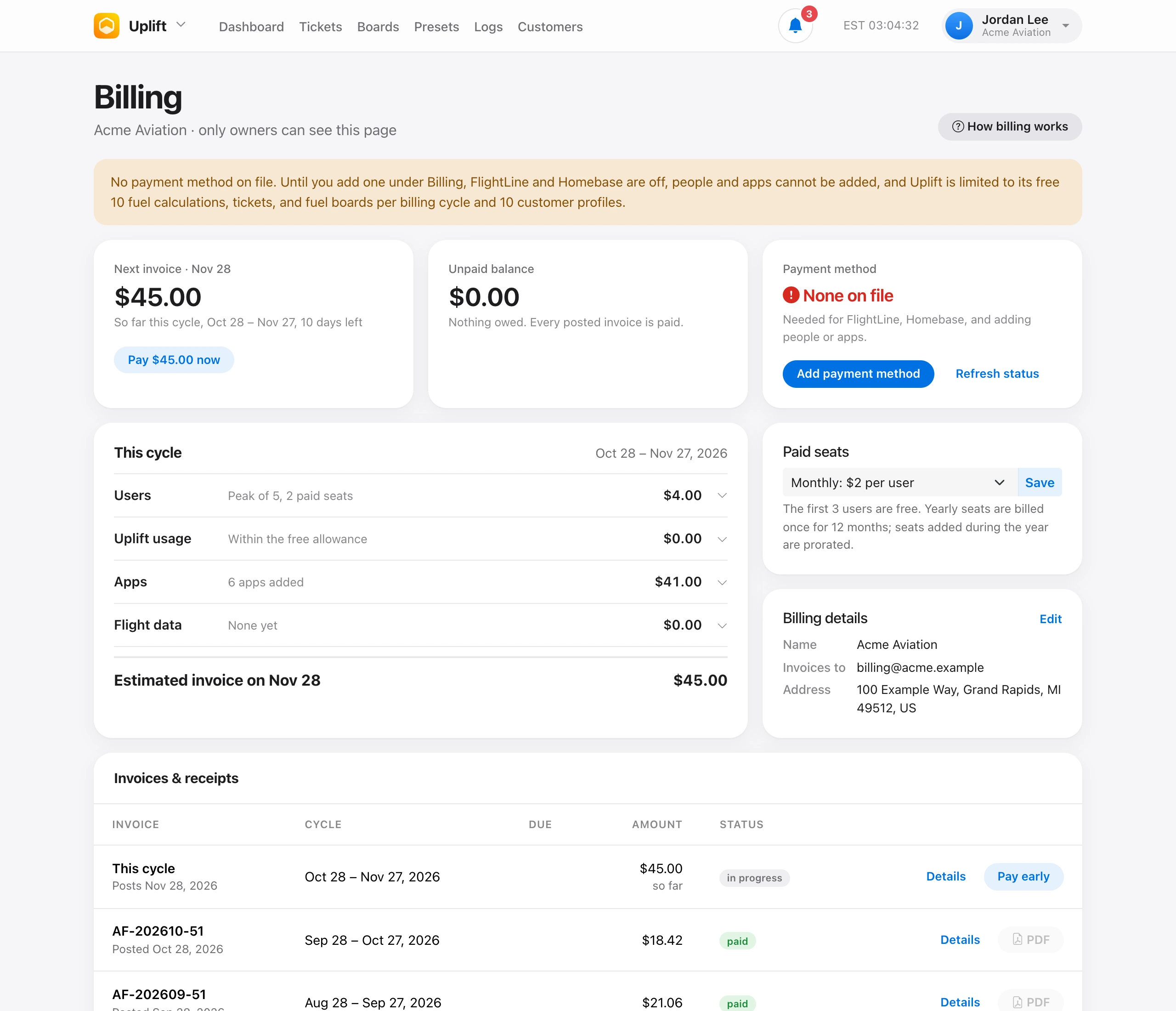
The owner manages payment on Billing. Add payment method or Manage payment method opens Stripe, where the card on file is saved. Invoices are due 15 days after they post. The billing email receives a copy. Set that address, plus the name and address printed on invoices, under Billing details.
Autopay. With a card on file, each invoice is charged to it as soon as it posts. A declined card is tried once. The owner gets the Declined payment notification and can pay from Billing.
Invoices & receipts has one row per invoice. Details shows the line items, and each invoice has a Stripe PDF, including invoices with nothing due. Use Pay for anything still open. If a payment or PDF does not show up, choose Refresh payment status.
Without a payment method, only what is free keeps working. See How billing and seats work. To pay before the 28th, see Pay early and pending invoices.