
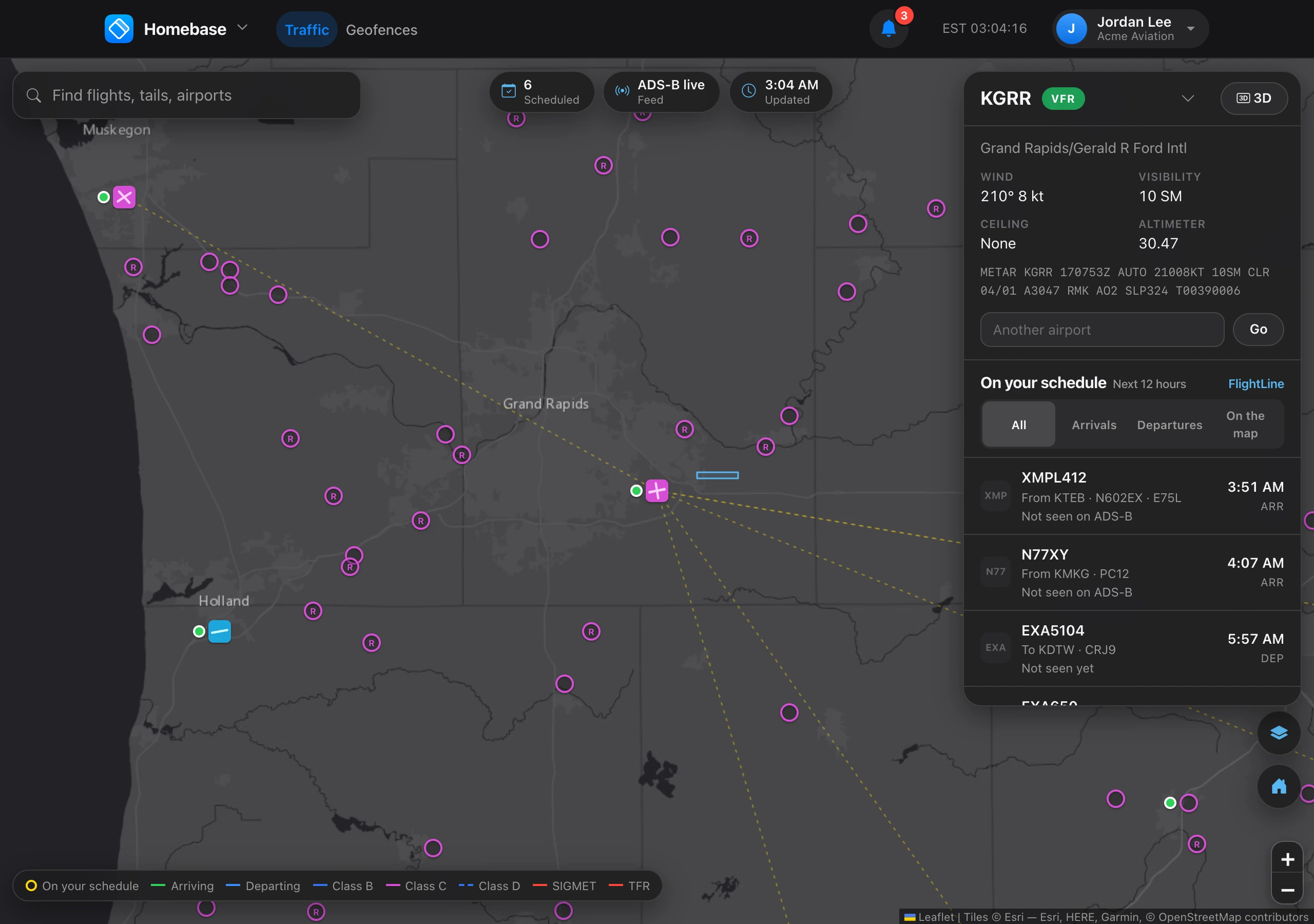
Homebase follows the flights on your FlightLine schedule. It does not show other traffic. The list beside the map has your arrivals and departures for the next 12 hours, soonest first, and each flight’s aircraft appears on the map once it is found. Type another code in Airport code to center on a different airport. Homebase opens on your preferred airport, or where you left the map in the last two hours.
- On the map — the flight’s aircraft was found, with its altitude and distance from the airport.
- Leaves its origin — an arrival that has not taken off yet.
- Not seen yet or Waiting for a position — the aircraft is not being picked up right now. Selecting the flight opens it in FlightLine.
Filter the list by Arrivals, Departures, or On the map. Select an aircraft on the map or in the list to see its route, recorded path, and details. Routes are green for arrivals and blue for departures while they are flying, and faint until then. A flight that has left but that no source can see is shown faded with a dashed ring where its times say it should be. The airport’s wind, visibility, ceiling, and altimeter are at the top.
If nothing is on your schedule, Homebase says so, with a button to FlightLine to add the flights you are expecting. You need access to FlightLine to see your schedule in Homebase, and the organization needs a payment method on file.
Every scheduled flight is tracked each minute from when it may start moving until it lands, even when nobody has Homebase open.
Homebase shows only the aircraft on your FlightLine schedule. While Homebase is open, each scheduled flight that should be flying is looked up with a flight data provider, at most once every 10 minutes per flight, and each lookup is a billed live position lookup. With nothing on your schedule, the map is dimmed until you add flights in FlightLine. See Where flight data comes from.